
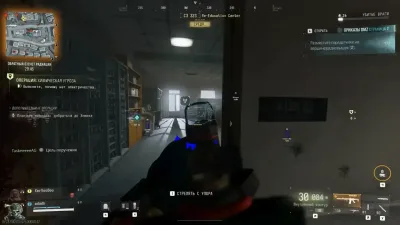
Why Does Modern Warfare 4 Keep Stuttering?
A game can report a high average frame rate and still feel unpleasant to play. Sudden frame-time spikes, brief freezes, and inconsistent movement can make…
A game can report a high average frame rate and still feel unpleasant to play. Sudden frame-time spikes, brief freezes, and inconsistent movement can make aiming difficult, particularly in fast multiplayer matches. If Modern Warfare 4 is stuttering on your PC, it is useful to distinguish between low performance, network lag, and short interruptions caused by background processing.
Understand the Difference Between FPS Drops and Network Lag
Low FPS usually appears as consistently uneven movement or reduced responsiveness across the screen. Network lag, on the other hand, may cause opponents to move irregularly, actions to register late, or the game to correct player positions unexpectedly. Hitching can appear as a short freeze followed by a return to normal performance. These symptoms can overlap, so observe whether the frame rate changes at the same time as the network behaviour.
Check the Current Game Version
Modern Warfare 4's official launch patch notes acknowledge several performance and stability improvements. On October 24, the developers also noted that the regional map animation had been temporarily disabled while investigating reports of hitching. This shows why checking current patch notes is worthwhile before assuming a problem comes from your PC. See the official MW4 patch notes.
Review Your PC Configuration
Start with a few basic checks:
- Close unnecessary background applications and browser tabs.
- Make sure the game is installed on an SSD and sufficient storage space remains available.
- Check GPU and CPU temperatures under load.
- Update your graphics driver if your installed version is outdated.
- Reduce demanding graphics settings temporarily and compare the results.
- Check whether shader preparation or another first-run process is still taking place.
Change one setting at a time. This makes it easier to identify which adjustment actually improves performance.
Check for Resource Bottlenecks
If RAM or video memory is nearly full, performance may become inconsistent when new areas or assets load. A nearly saturated CPU or GPU may also limit how consistently frames are delivered. Use trusted monitoring software to check system utilisation rather than relying on a single FPS reading.
Conclusion
Modern Warfare 4 stuttering does not automatically indicate a ban, a damaged installation, or a defective graphics card. Start with the current game build, system requirements, and performance measurements before trying more advanced changes.
Continue with MW4 PC requirements when you want the next step that matches this topic.