
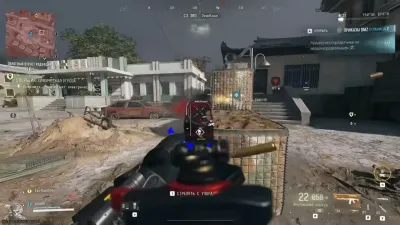
Modern Warfare 4 Kicking Players During Spectating
Being removed from a match unexpectedly can be confusing, especially when the game was running normally before you switched to spectator mode. In this situ…
Being removed from a match unexpectedly can be confusing, especially when the game was running normally before you switched to spectator mode. In this situation, it is important not to assume the worst. A multiplayer disconnect does not automatically mean your account has been banned.
Is This a Documented MW4 Issue?
Yes. The official Modern Warfare 4 patch notes published on October 24, 2026, listed an issue in which some players could be kicked while spectating in Multiplayer. The notes stated that the developers were investigating it. That makes this a useful troubleshooting topic for players experiencing similar symptoms. It also means the first step should be checking whether a later update has changed the issue's status.
What Should You Do?
First, check the game version. Make sure the current update has been installed and review the latest official patch notes. Second, observe when the problem happens. If the disconnect consistently occurs after entering spectator mode, record the map, playlist, approximate time, and whether teammates encounter the same issue. Third, check the network connection. Unstable connectivity can cause interruptions that look similar to game bugs. Test your connection and avoid running large downloads during matches. Fourth, review account status separately. If you also receive an enforcement notification, consult the official account-status and support resources rather than treating the spectator problem itself as proof of a ban. The issue was documented in the official Modern Warfare 4 launch patch notes.
Does Getting Kicked Mean You Are Shadowbanned?
Not by itself. A technical disconnect and an account-enforcement action are different things. An actual enforcement status should be checked through the appropriate account-support process.
Final Thoughts
When a specific game mode triggers a disconnect, useful details and current patch information are more valuable than random system changes. Confirm the cause before concluding that your account or PC has a more serious problem.
Continue with error troubleshooting guide when you want the next step that matches this topic.