
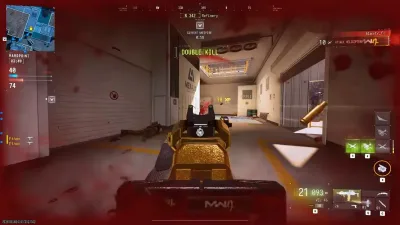
Why Are Modern Warfare 4 Camos Not Unlocking?
Weapon camos and cosmetic rewards are an important part of progressing through a Call of Duty game. Players work through challenges, level up weapons, and…
Weapon camos and cosmetic rewards are an important part of progressing through a Call of Duty game. Players work through challenges, level up weapons, and customise their loadouts to create a look that suits their playstyle. When a camo does not unlock or appears incorrectly, it can be difficult to tell whether the problem comes from challenge tracking, the interface, or the game itself.
1. Check the Exact Unlock Requirement
Start by reviewing the challenge associated with the camo. Make sure the required weapon, attachment, and challenge conditions match what you are using in-game. Some challenges have specific requirements, so simply completing a match or earning eliminations may not be sufficient.
2. Check Your Progression
Modern Warfare 4's launch patch notes document fixes for several cosmetic and progression-related issues, including inaccurate camo requirements and visual states that incorrectly displayed certain camos as locked after weapon Prestige. That is a useful reminder that not every cosmetic issue is caused by a player's installation or account.
3. Update and Restart the Game
Install current updates and restart the game before changing other settings. If your unlock progress still appears incorrect, record the exact challenge and the displayed progress. Avoid purchasing another item or repeating a large number of challenges before confirming whether the reward is simply displaying incorrectly.
4. Understand Official Cosmetics and Third-Party Skin Changers
Official weapon camos and operator skins are part of the game's supported cosmetic system. Third-party skin-changing software is a different category of product, and compatibility with Modern Warfare 4 must not be assumed. A cosmetic tool designed for another game may use entirely different systems and may not work with MW4.
Final Thoughts
Check the official progression requirements, install the latest update, and verify whether your issue has already been documented. You can consult the official Modern Warfare 4 patch notes for changes to camos and progression.
Continue with skin changer compatibility when you want the next step that matches this topic.